
Mastering Appointment Scheduling: Real-World Examples & Strategies
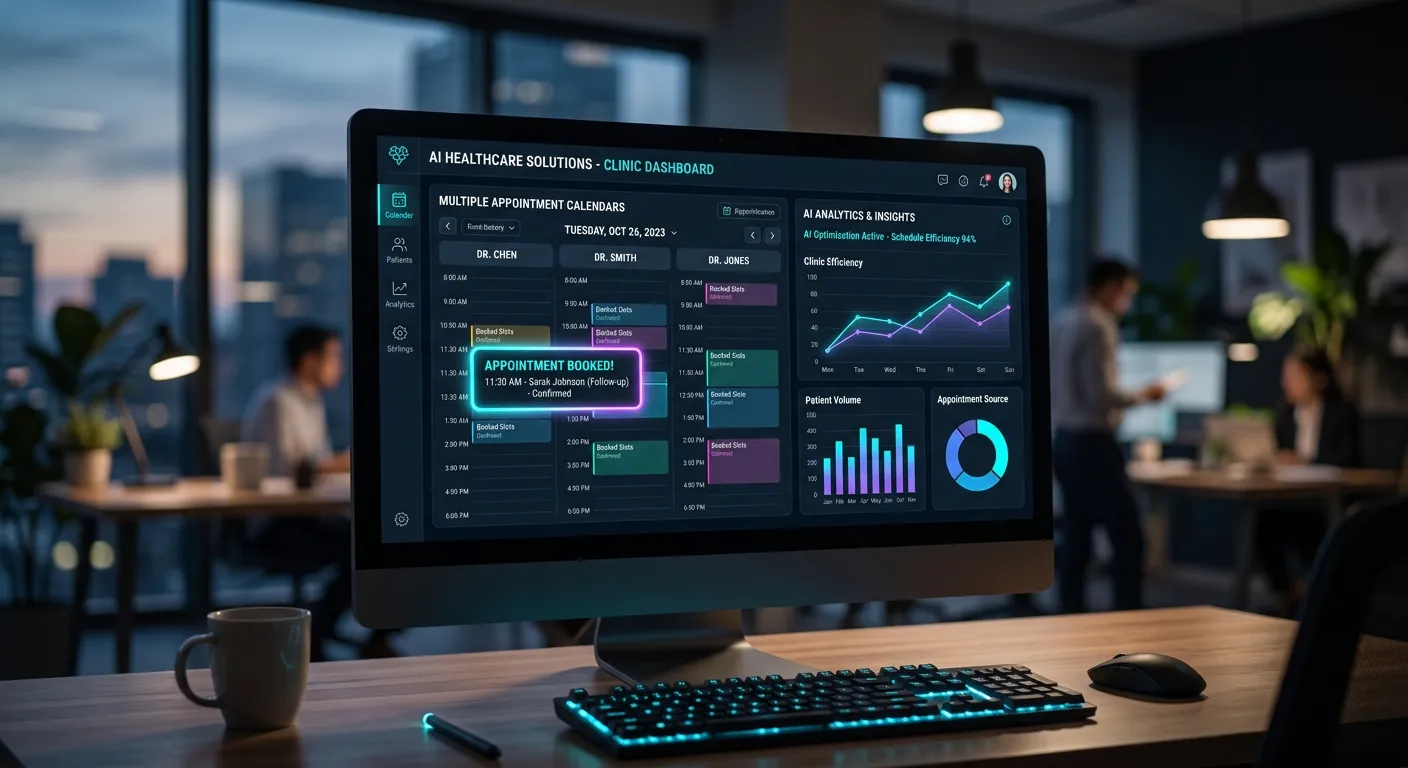
In today's fast-paced market, effective appointment scheduling is the backbone of customer engagement and operational efficiency. This guide delves into actionable Appointment Scheduling Examples across industries, showcasing how innovative appointment setting services UK businesses rely on are leveraging AI to eliminate missed opportunities, reduce admin burden, and drive growth. Whether you're a solo entrepreneur or a multi-site practice, the right system can transform your workflow.
Industry-Specific Appointment Scheduling Models
Scheduling needs vary dramatically by sector. Explore these interactive models to find the blueprint that fits your business.
Healthcare: Patient-Centric & Compliance-First
Medical and dental practices require systems that handle high call volumes, urgent bookings, follow-ups, and strict compliance. Traditional methods crumble under pressure, leading to significant revenue loss from missed calls. Modern solutions integrate directly with practice management software.
- Example: A UK dental practice uses an AI system to answer calls 24/7, triage emergencies, book check-ups directly into the dentist's calendar, and send automated SMS reminders. This mirrors the success seen in how AI helps UK dental practices fill books faster.
- Key Feature: Automated recall and reminder systems that reduce no-shows by over 70%. Learn more about AI-powered appointment reminders for healthcare.
- Outcome: Streamlined healthcare call volume management, improved patient satisfaction, and maximized practitioner utilisation.
Pro-Tip: For healthcare, ensure your scheduling system is HIPAA/GDPR compliant and can handle sensitive patient data securely. A dedicated dental call answering service is built for this.
Core Benefits of Modern Appointment Scheduling
Beyond simply filling calendars, advanced scheduling systems deliver strategic advantages. Here are the key benefits, illustrated with concrete Appointment Scheduling Examples.
24/7 Lead Capture & Conversion
Over 60% of calls for service-based businesses happen outside standard office hours. An AI scheduler captures these leads, books appointments, and secures deposits round-the-clock, turning missed calls into revenue. This solves the critical challenge outlined in handling after-hours business calls.
Example: An electrician gains 15+ new jobs per month from calls taken by AI between 6pm and 8am.
Dramatically Reduced No-Shows
Automated, multi-channel reminders (SMS, email, voice) confirm appointments and provide easy rescheduling options. This simple automation can slash no-show rates from 20% to under 5%, protecting your bottom line and resource planning.
Example: A therapy clinic uses automated SMS reminders with a one-click reschedule link, reducing last-minute cancellations by 80%.
Operational Efficiency & Staff Focus
Free your team from the repetitive task of phone tag and calendar juggling. Staff can focus on high-value activities like client service, complex problem-solving, or business development. For solo entrepreneurs, this is a game-changer, as explored in automated call handling for one-person businesses.
Example: A small marketing agency saves 15+ hours per week on admin, allowing the founder to focus on strategy and client work.
Implementing AI-Powered Appointment Setting Services in the UK
Transitioning to an intelligent scheduling system requires careful planning. The UK market offers robust appointment setting services UK providers, but the key is choosing a solution that integrates seamlessly with your existing tools and workflows.
Critical Implementation Steps
- Audit Your Current Flow: Map every touchpoint—from the first phone ring to the post-appointment follow-up. Identify bottlenecks where calls are dropped or delays occur.
- Define Scheduling Rules & Logic: Establish clear rules for your AI or virtual receptionist. This includes service durations, buffer times, staff availability, emergency protocols, and preferred communication channels. Tools like CallTaking.ai's workflow builder make this intuitive.
- Choose the Right Integration: Your scheduler must live in your ecosystem. Ensure it syncs with your core calendar (Google, Outlook, iCal), your CRM, and if needed, your industry-specific software (e.g., Practice Management, Job Management systems). Review advanced features for businesses.
- Design the Conversation: Script the AI's interaction to be professional, empathetic, and efficient. It should confirm key details (date, time, service, address), manage expectations, and provide clear next steps.
- Pilot and Optimize: Go live with a small team or for specific services first. Monitor call transcripts and feedback to refine the AI's responses and routing logic for peak performance, as detailed in this optimization guide.
The Technology Behind Seamless Scheduling
-
Natural Language Processing (NLP)
Advanced NLP allows the AI to understand caller intent, even with accents, colloquialisms, or vague requests, and ask clarifying questions just like a human would.
-
Two-Way Calendar Sync
Real-time, bi-directional sync ensures that when the AI books a slot, it's instantly blocked on all connected calendars, preventing double-booking and maintaining a single source of truth.
-
Enterprise-Grade Security
For industries like healthcare and legal, data security is non-negotiable. Leading providers offer encryption, secure data hosting, and compliance certifications to protect sensitive information.
Expert Insight: The most successful implementations start with a clear understanding of the customer journey. Don't just automate your old, broken process. Use this as an opportunity to redesign the experience to be faster and more convenient for the caller. This customer-centric approach is what separates basic answering services from true professional AI answering service solutions. For a real-world test, see what happened in a 30-day test.
FAQs: Appointment Scheduling Examples & Services
Get answers to the most common questions about implementing modern appointment setting services UK businesses are adopting.
Modern AI is remarkably capable. It can handle multi-step logic, such as checking resource availability (e.g., a specific consultant or treatment room), offering alternative times if the first choice is taken, collecting pre-appointment information, and even processing payments. For highly complex or sensitive scenarios, it can be configured to seamlessly escalate to a human. See a practical example in our article answering: "Is there an automated system that books directly into my calendar?"
Reputable UK-based providers design their systems with GDPR as a core principle. This includes data encryption in transit and at rest, secure UK-based data hosting, clear data processing agreements, and tools for easy data subject access requests (DSARs) and deletion. Always ask potential providers for their Data Protection Impact Assessment (DPIA) and compliance certifications. For more on security, watch our guide: "Is CallTaking.ai the best answering service in the UK?"
The savings are substantial. A full-time UK receptionist costs £22,000-£30,000+ in salary alone, plus employer NI, pension, benefits, and management overhead. A sophisticated AI scheduling service typically costs a fraction of this, often based on usage (e.g., per call or monthly subscription), and provides 24/7 coverage. For a detailed breakdown, see our analysis on AI vs. live virtual receptionist cost-effectiveness and UK answering service pricing.
With modern SaaS platforms, you can have a basic system up and running in under an hour. The initial setup involves connecting your calendar, designing your call flow, and customising greetings. Fine-tuning the AI's responses and integrating with other tools (CRM, payment gateways) may take a few days of testing. For a step-by-step walkthrough, check out "Setting up your CallTaking.ai digital receptionist" and how to set up AI phone answering.
For more FAQs, visit our dedicated FAQ page.
Ready to Transform Your Appointment Scheduling?
These Appointment Scheduling Examples demonstrate the tangible impact on revenue, efficiency, and customer satisfaction. Whether you need a dedicated appointment setting services UK solution or a flexible AI assistant, the future of scheduling is automated, intelligent, and always available.
Next Step: Audit your missed calls from the past month. Calculate the potential revenue lost using our guide on the hidden price of"leave a message". Then, explore a live AI demo to see the solution in action.
Case Study: From Chaos to Control – A 300% ROI in 90 Days
To move beyond theory, let's examine a detailed transformation. A mid-sized physiotherapy clinic in Manchester with three practitioners was struggling with a 30% no-show rate and a receptionist overwhelmed by 100+ calls daily. Missed calls during peak hours were estimated to cost £15,000 monthly in lost revenue.
The Problem
- Receptionist could only handle one call at a time, leading to long hold times and abandoned calls.
- Manual entry errors caused double-bookings and client frustration.
- No systematic process for follow-ups or waitlist management.
- Practitioners spent 30 mins daily coordinating schedule changes.
The Solution
- Implemented an AI scheduler integrated with their Cliniko practice software.
- Configured specific rules for initial consultations vs. follow-up sessions.
- Set up automated SMS reminders 48hrs and 2hrs prior, with a pain-free reschedule link.
- Created an intelligent waitlist that automatically filled cancellations.
The Quantifiable Result
- No-shows dropped from 30% to 4% within the first billing cycle.
- Call answer rate reached 99%, capturing an extra 45 bookings per month.
- Receptionist was redeployed to patient care and admin, boosting morale.
- Practitioners regained 12+ hours per week in administrative time.
- ROI: The £250/month system paid for itself in under 10 days, generating an estimated 300% return.
This case underscores a critical point: the value isn't just in the software, but in the re-engineering of the operational workflow. The clinic didn't just add a answering layer; they redesigned their entire patient intake journey. For businesses considering a similar path, understanding why AI is a game-changer for healthcare professionals is the first step.
Beyond the Calendar: Advanced Scheduling Features You Need
Cutting-edge systems offer features that transform scheduling from a logistical task into a strategic growth engine. Here are sophisticated capabilities to look for in top-tier appointment setting services UK providers.
Predictive Waitlist & Dynamic Buffer Management
True efficiency isn't just filling slots—it's optimizing them. Advanced AI analyzes historical no-show and cancellation patterns to intelligently overbook or create a dynamic waitlist. For instance, if a certain practitioner has a 15% habitual late-cancellation rate on Thursday afternoons, the system can automatically offer that slot to two qualified waitlist clients, dramatically increasing utilization.
Practical Application: A beauty salon uses this to ensure no chair is ever empty, increasing revenue per stylist by an average of 18% without extending hours.
Sentiment-Driven Routing & Upsell Opportunities
During the scheduling conversation, AI can analyze the caller's tone, pace, and word choice to gauge sentiment. A caller expressing frustration about a recurring issue can be routed to a senior specialist or manager. Conversely, an enthusiastic caller inquiring about a premium service can be presented with add-on options or a complimentary longer consultation slot. This turns a transactional call into a relationship-building and revenue-maximizing interaction.
Practical Application: A high-end car service centre uses sentiment analysis to route disgruntled customers directly to the service manager, improving retention, while offering valet pickup to pleased customers.
The Integration Imperative: Your Tech Stack Should Talk
An isolated scheduler creates data silos. The most powerful systems act as a central nervous system for your customer operations. Look for native or Zapier-enabled integrations that:
- CRM: Auto-create/update contact records (Salesforce, HubSpot).
- Payment: Take deposits via Stripe, PayPal links.
- Comms: Trigger post-appointment surveys via Email/SMS.
- Field Apps: Dispatch jobs to field staff via Jobber, GeoOp.
This interconnectedness is what delivers the full ROI. For instance, a booked appointment can trigger a pre-consultation questionnaire (via Forms), a calendar invite, an invoice (via Accounting software), and a reminder sequence—all without human input. This level of automation is explored in depth in resources like guides on automated scheduling systems.
Implementation Pitfalls & How to Avoid Them
Success isn't guaranteed by technology alone. Based on hundreds of deployments, here are common mistakes businesses make when adopting new scheduling systems and the proven strategies to circumvent them.
Pitfall #1: The"Set and Forget" Mindset
Deploying the AI with a generic script and never reviewing its performance. This leads to robotic interactions that frustrate callers and fail to capture nuances specific to your business.
Solution: Schedule a weekly 15-minute review of call transcripts and analytics for the first month. Identify common questions the AI didn't handle well and refine its knowledge base. Treat your AI as a new hire that needs training.
Pitfall #2: Ignoring Internal Change Management
Springing a new AI system on staff without explanation, leading to resistance, confusion, and even sabotage (e.g., staff giving out direct lines to bypass the system).
Solution: Communicate the"why" clearly. Frame it as a tool to free the team from tedious work, not to replace them. Involve key staff in designing the call flow and rules. Provide clear guidelines on when and how the AI will escalate to them.
Best Practice Checklist for Launch Success
-
1Pilot with a Champion: Start with one service, one team, or one location. Choose a tech-positive team member as the pilot lead to provide feedback and advocate for the system.
-
2Craft a Contingency Plan: Have a clear, simple process for when the system fails or is offline (e.g., a backup phone number that rings to a manager's mobile). Test this plan.
-
3Monitor the Right KPIs: Go beyond"calls answered." Track Conversion Rate (call to booked appointment), Caller Satisfaction (via post-call surveys), and Staff Time Saved.
-
4Keep the Human Touch Accessible: Ensure the AI always provides an easy, clear option to speak to a person. This builds trust and provides a safety valve for complex situations.
Remember, technology enables the process, but people define its success. A well-managed implementation, as outlined in resources like optimization guides for peak performance, ensures your investment delivers maximum value from day one.